
Premium System, Garbage Signal: How to Know if Your HDMI Cable Is the Problem
Is your HDMI cable the problem?
Yes, a cheap or uncertified HDMI cable is one of the most common reasons a home theater drops to black, loses audio, or won't sync, even when the TV and receiver are excellent. The fix is usually a properly certified, well-built cable matched to your run length and gear. Below is how to tell if the cable is your problem, what certification to look for, and what we install.
The most overlooked link in the system
You sit down for movie night and the screen cuts to black for a second. Then again. The audio drops out mid-scene. You've got a great TV and a great receiver, so it shouldn't be doing this.
More often than not, it isn't the gear. It's the cable connecting it.
HDMI cables are an afterthought for most people. One comes in the box, you plug it in, the picture shows up, you move on. But that bundled cable, or the $7 "high speed" one you found online, is often the weakest part of an otherwise excellent setup. Across the systems we've installed around Edina, Wayzata, and Excelsior, a bad cable is one of the most common culprits we find behind a beautiful system that's behaving badly.
Why HDMI cables actually matter
A modern HDMI cable has to move a lot of data. Up to 48Gbps, which is what it takes to deliver:
- 4K at 120Hz, or 8K video
- High dynamic range (HDR, Dolby Vision)
- 10-bit color depth
- Lossless surround sound through eARC
- Gaming features like variable refresh rate (VRR) and auto low latency mode (ALLM)
A cable that wasn't built for that load might work for a while, then fail when you push it. Long runs, HDMI 2.1 features, or a firmware update can all expose a weak cable. And unlike the old analog days, HDMI doesn't fade gracefully. It either works or it doesn't.
Think of it as a digital highway. A cheap cable creates traffic jams, and your picture and sound are what cut out.
What actually matters: the certification label
"8K Ready." "Premium Quality." "Ultra HD." None of these mean anything. They aren't regulated, and any manufacturer can print them on a box.
Skip the marketing and look for one of two real labels:
- Premium High Speed HDMI: certified for 18Gbps. Handles 4K at 60fps, HDR10, and Dolby Vision.
- Ultra High Speed HDMI: certified for 48Gbps. Handles 4K at 120fps and 8K, and is required for the latest gaming and HDMI 2.1 features.
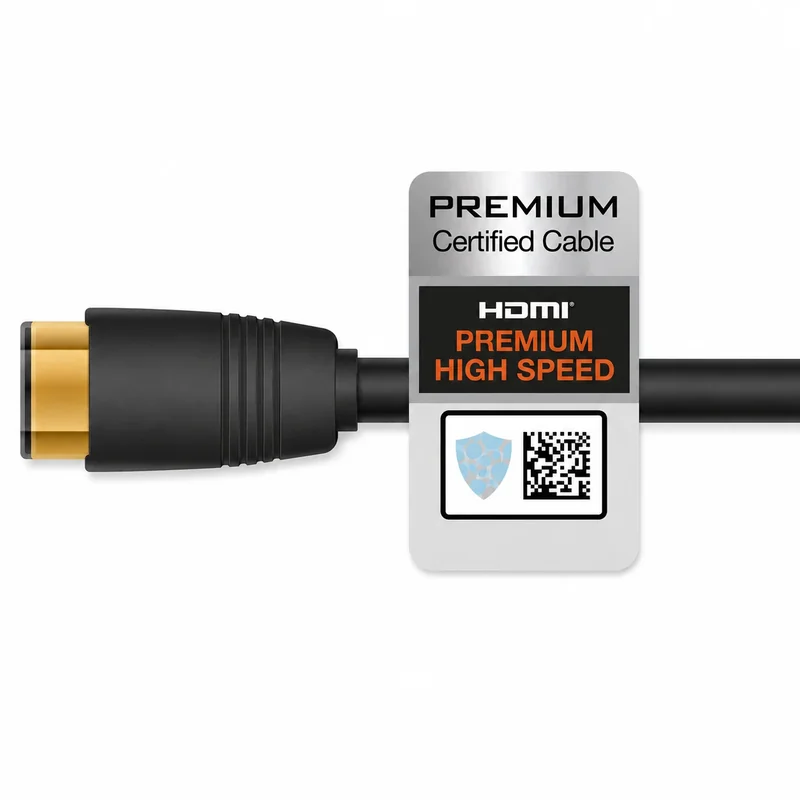
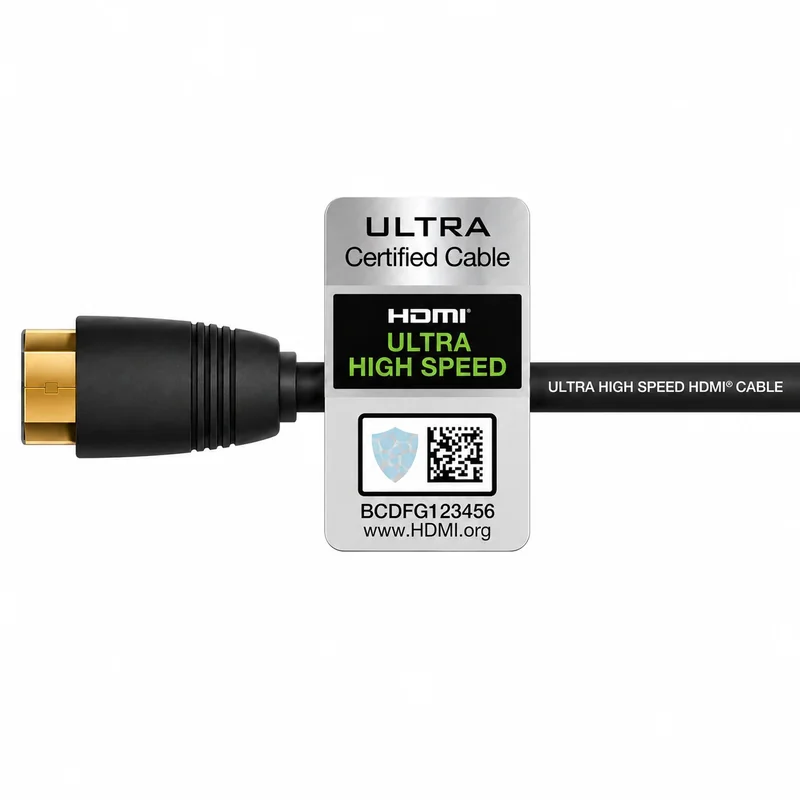
A real certified cable carries a hologram and a QR code you can scan to verify at hdmi.org. If that label isn't on the box, the cable isn't certified, no matter what the packaging claims.
A few red flags: generic packaging, no QR code, or vague promises like "supports all formats" with no certification behind them. Counterfeits sometimes copy the hologram but use a dead QR code, so always scan and verify before a cable goes into your walls.
Three signs your cable is the problem
- Random black screens during a movie or a game.
- Audio that cuts out for a second or two.
- Devices that won't sync, or take forever to connect.
Here's why it happens. Cheap cables lose signal integrity under load. Long runs over six feet make it worse, and 4K and gaming push right up against the bandwidth limit. When a digital signal hits that limit, it doesn't degrade gradually. It falls off a cliff and fails completely.
When we troubleshoot a system that's acting up, the cable is one of the first things we check, and a certified, properly shielded replacement solves more of these problems than most homeowners expect.
Our cable standard: Kordz
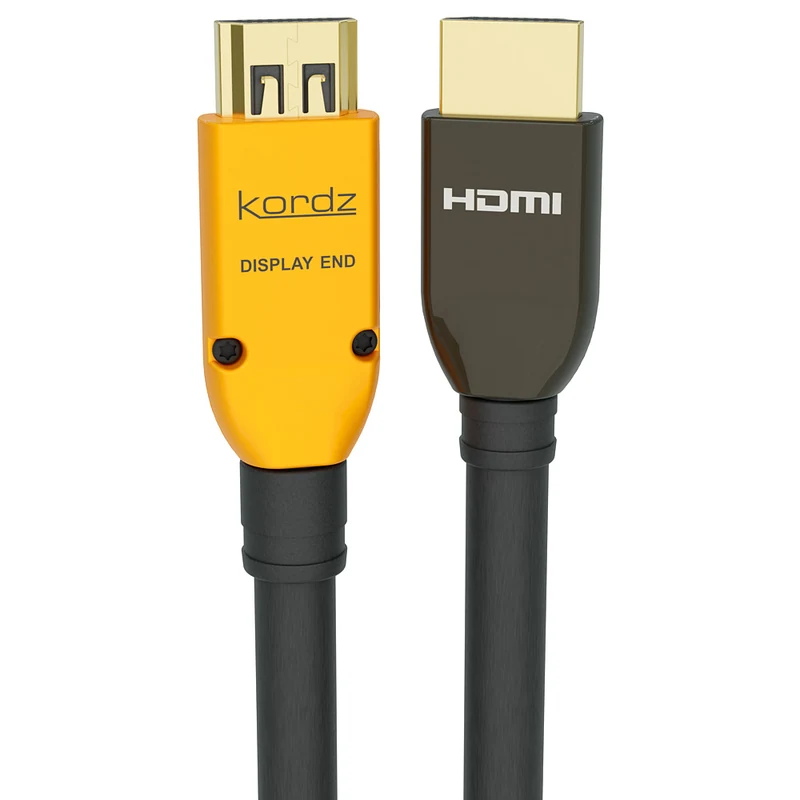
We've tested a lot of brands across the systems we've installed. We standardized on Kordz because it holds up. It isn't brand loyalty. It's that they work reliably for years, not months, and that's what your system needs.
What sets them apart:
- A lifetime warranty on passive cables.
- Connector grip engineered to stay snug. HDMI ports don't lock, and a loose connection is a common cause of those intermittent blackouts and dropouts.
- UL CMG certification on in-wall models, so they're safe and code-compliant behind drywall and in ceilings.
- Proper shielding that blocks interference from electrical and wireless lines, which matters most on long runs.
You don't need to memorize specs. That's our job.
Bandwidth, color depth, certification tags: you don't have to think about any of it. Before you buy anything, talk to us. Cable length, how it's being installed, and your specific equipment all change which cable is right. The wrong call wastes money and creates a headache later.
We'll spec the exact cable for your setup, whether that's a single TV or a whole-home system with an equipment closet and in-wall runs, and we'll tell you why it's the right one.
Don't let a cheap cable undermine a premium system.
Frequently asked questions
Do expensive HDMI cables make a difference?
Past a point, no. A $200 cable doesn't beat a properly certified one. What matters is certification (Premium High Speed or Ultra High Speed), build quality, and matching the cable to your run length, not price.
How do I know if my HDMI cable is bad?
The common signs are random black screens, audio that cuts out for a second or two, and devices that won't sync or take a long time to connect. If swapping in a certified cable clears it up, the cable was the problem.
What HDMI cable do I need for 4K at 120Hz or gaming?
You need an Ultra High Speed HDMI cable, certified for 48Gbps. It's the only label that guarantees full HDMI 2.1 support, including 4K120, VRR, and ALLM.
Does HDMI cable length matter?
Yes. Past about six feet, a low-quality cable is more likely to drop signal under heavy load. Long runs are also where proper shielding and, for the longest distances, active optical cables make the difference.
Are all HDMI 2.1 cables the same?
No. "HDMI 2.1" on a box isn't a guarantee. Look for the Ultra High Speed certification label with a hologram and a scannable QR code you can verify at hdmi.org.


